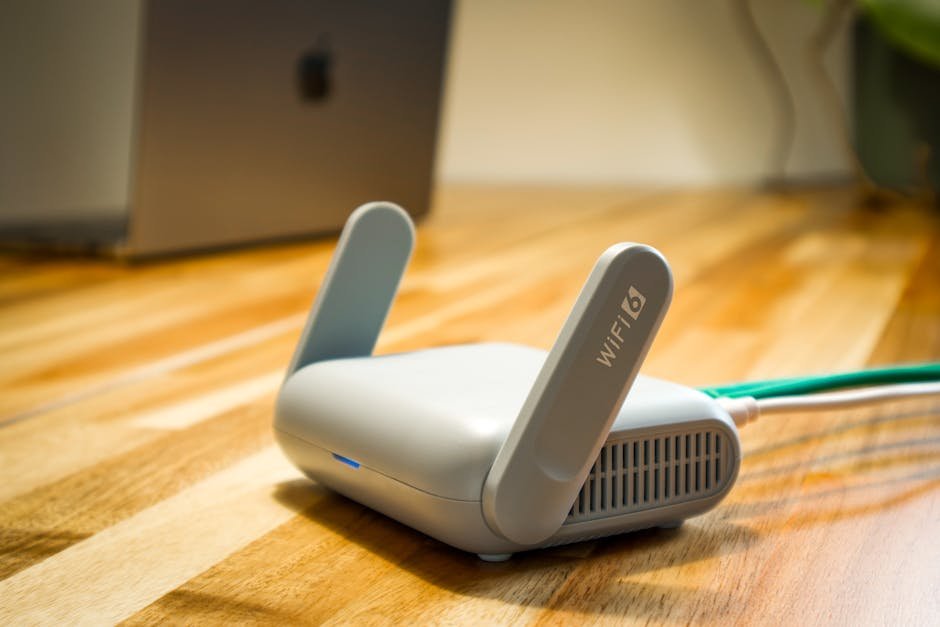
Kill Internet Lag. Seriously. Beat Bufferbloat with SQM and OpenWrt
Internet acting up? Like, one second it’s flying, then your game just chokes? Video spinning? Zoom calls sound like a droid trying to clear its throat? Right. Annoying. Happens. You’re not alone, not by a long shot. That frustrating stop-and-go? Usually, it’s this thing called bufferbloat. Everybody knows it, but nobody knows it. Getting an Internet Bufferbloat Fix? Total unlock for your whole home network. Just trust us.
Picture your online life. Super smooth. Like cruising down a fresh bit of Pacific Coast Highway. No annoying pauses. Good vibes only. And hey, this ain’t some hardcore tech lesson for super nerds. Nope. It’s about getting your internet to finally, actually do its job. For you.
What the Heck is Bufferbloat? Your Laggy Internet’s Sneaky Enemy
Okay, so bufferbloat. What’s the deal? Simple. Imagine your internet connection is a bridge. Your small stuff—browsing, game hits, talking online—those are like little sports cars. Zipping through. Fast. Tiny. Gotta get across. But then someone starts a massive download. Or an upload. Suddenly, here come the big rigs. Giant data packets. Lumbering onto your bridge.
These trucks block everything. Traffic jam. All those little cars? Stuck. The “buffer” bit? That’s like a parking lot for these data packets. And “bloat” means it’s totally full. Swamped. Normally, when you’re just chillin’, your internet is good. Maybe 25 milliseconds of delay. Totally fine. But then a huge download kicks off? That delay can shoot up by over 20ms. Easy. And another thing: toss in an upload? Suddenly, you’re looking at 75ms or higher. Major buzzkill for anything you’re trying to do online. Just plain awful.
Because all that stuff piles up in the “waiting area,” it turns into major lag. You know the kind. During downloads. Or uploads. Games freeze up. Mid-shot. Movies glitch. In the best part. Voice calls are total garbage.
Meet the Internet’s Bossy Traffic Cop: SQM. What’s it do?
So, fix it. We gotta get a traffic cop on that crazy bridge. And SQM? Smart Queue Management. That’s your digital law enforcement. This slick tech makes sure the small, super important data bits go first. Always. It just manages internet speed super smart, so those ‘mini-cars’ cruise right past the ‘semi-trucks’. Every single time.
So, yeah. Even if some bandwidth hog downloads a monster file? Your important stuff – your gaming, your video chats, your Netflix stream – stays fast. Lag-free. Period. No need for yelling anymore. “Who’s on the internet?!” That kind of thing.
Not All Traffic Cops Are Created Equal. Dive Into SQM Algorithms
SQM? Not just one thing. It’s changed a lot. Evolved with the internet. Your router? Probably rocking some old junk that’s way out of date. Can’t handle today’s speeds. There are three big types. All do traffic control differently.
- Codel: Super basic. Like a bouncer. Sees a car waiting? Kicks it off. No questions asked. Brutal, right? Also doesn’t care if it’s a little car or a big truck. So, you’re probably not even getting your full internet speed. A bit of a blunt weapon.
- FQ_Codel: Better. An upgrade. This cop actually paints lanes on the bridge. Gives certain vehicles (data!) their own lanes. Trucks stay out of the way of the tiny cars. Smarter with packets. Good, but still, you might not peg your speed limit.
- Cake: THE absolute champ. Seriously. Cake’s brilliant. It makes multiple lanes. For everyone. Even sets speed limits based on how crucial that data is. Prioritizing the critical stuff? Big time. Makes that bridge sing. Like, totally efficient. This thing makes sure you get every single bit of your internet speed. And just wipes out bufferbloat. Downside? It’s intense. Needs a router with a little more oomph sometimes.
Get Your Router SQM-Ready. Your Options: Built-In, New Box, or Open-Source Awesomeness?
Okay, sold. You want this stupid bufferbloat gone. How to get SQM firing at your house?
First? Your router now. Go to its admin page— Type 192.168.1.1 in your browser. Log in. Search for “SQM,” “Smart Queue Management,” or “QoS.” If it’s there? Click-click, enabled. Poof. Problems solved.
But if your current box is ancient, no fancy settings? Then, yeah. New router time. Lots of the expensive gaming routers have SQM built-in. Makes sense. They’re all about speed. Low lag. But you gotta know, they cost a pretty penny.
OpenWrt Rocks. Seriously. Unlock Your Internet’s Real Power
For most of us, blowing big cash on a new router just isn’t happening. Good vibes not there. Because OpenWrt? That’s where it gets good. It’s open-source router software. Runs on Linux. Regular updates, always patching security, adding new stuff. And another thing: fully supports all the killer SQM algorithms, even Cake.
Best bit? You can score cheap routers that work with OpenWrt way easier. Heck, even used ones. Cost you peanuts compared to a brand-new gaming rig. People used to grab these for ten, twenty bucks. Seriously. Suddenly, junk hardware becomes a network beast. Check openwrt.org; you can find models that fit your wallet. Totally worth the investment. It’s huge for your internet. Hella better.
No More Lag: How SQM Changes Everything
Implementing SQM, specifically with OpenWrt? Absolutely blasts your internet into warp speed. Those annoying lag spikes from uploads and downloads? Like 20, 50ms? Poof. Gone. Zero. Crazy good. Your network just got an A+.
Doesn’t matter who’s hogging bandwidth. Or doing what. Your internet experience stays solid. Your videos? They play. No freezes. Gaming lag? Just a bad memory. Voice calls sound perfect, always. Getting what you pay for. Every gadget at home. All running smooth.
Questions You Might Have
Q: So, bufferbloat means what?
A: Oh man, it’s just too much data piling up in your network’s holding areas. All those data packets. That’s why you get killer lag and high delays when you download or upload stuff. Messes up your games. Your streams. Everything online.
Q: Can my router do SQM? How do I check?
A: Jump into your router’s admin page. That’s 192.168.1.1 usually, in your browser. Hunt for anything like “SQM,” or “Smart Queue Management.” Maybe “QoS.”
Q: Is OpenWrt a headache to put on my router for an Internet Bufferbloat Fix?
A: Well, yeah, you gotta flash new software. But openwrt.org has tons of docs for specific routers. Many folks find it a totally doable gig. And the internet boost? Huge.